
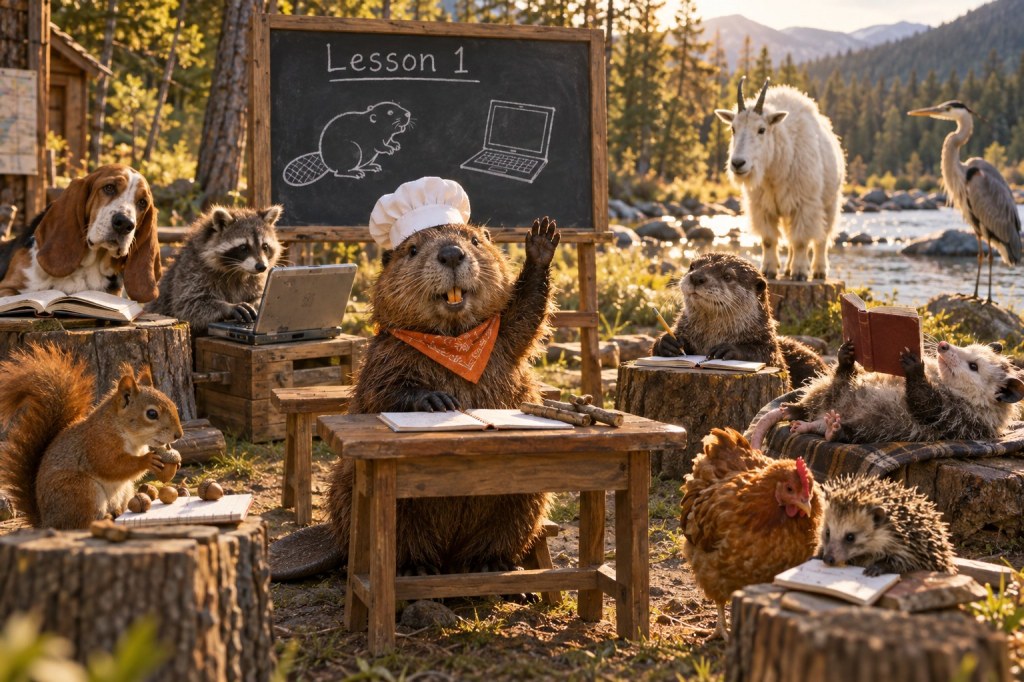
Class is in session on the river
Chef Tamás wrote a 30-lesson course about how this website was built: the tools, the real prompts, the settings, and every single thing that went wrong. Now the whole crew is studying it. Gerzsi has his paw up. Biscuit is reading with his head tilted. Opal is reading lying down. Below you’ll find all 30 lessons, in order.
🏷️ Launch price: all 30 lessons for $29.99 instead of $49.99. At checkout click “Have a coupon?”, type LAUNCH and press Apply. Valid until January 10, 2027.
PDF + narrated video for every lesson. Single lessons $3.99. Lessons 1–3 free. Checkout on Payhip (card or PayPal).
Part 1 · Getting started
Lessons 1–3 are free. Read them first and see if you like the way Tamás tells it.
Lesson 1 · FREE
Why a Beaver?
Where the idea came from: Tamás’s childhood nickname, a cartoon beaver, and why a site with a face beats one more faceless “best knives” list.
Lesson 2 · FREE
A Head Chef Opens a Laptop at Midnight
Starting with no tech background and no free time. The first night, the first tools and the first decisions.
Lesson 3 · FREE
Day One: A Cheap Plan, Zero Clicks and $6.71
The cheapest WordPress.com plan, an empty traffic chart, and the story behind the very first $6.71 commission.
Part 2 · The site
How an empty page became a site people can actually shop from.
Lesson 4 · $3.99
The Night I Called My Own Site Unprofessional
Looking at your own site with a buyer’s eyes, and the list of everything that had to change.
Lesson 5 · $3.99
From Cartoon to Magazine: The Design Makeover
How the storybook look turned into a clean magazine layout where the products are easy to see.
Lesson 6 · $3.99
Menus, Hubs and the Home Page
Menus and hub pages that lead visitors to the buying guides, plus how the home page was rebuilt.
Lesson 7 · $3.99
Honest Picks: How a Product Gets on the Site
The rules for choosing products: independent tests, real kitchen use, and links that go exactly where they say.
Lesson 8 · $3.99
Affiliate Links and Disclosures Done Right
Amazon Associates and Awin links, tracking IDs, and disclosure wording that follows the rules.
Lesson 9 · $3.99
Pitfall Special: Walls of a Cheap Plan
What a budget plan won’t let you do, and the workarounds that worked anyway.
Part 3 · The characters
How one beaver became a whole river full of friends, each with a job on the site.
Lesson 10 · $3.99
Building a Cast of Animal Characters
Giving each character a personality, a hobby and the gear they would really use.
Lesson 11 · $3.99
Dottie, the Turkey Who Lobbied for Ham
One character from first idea to finished page: a Thanksgiving case study.
Lesson 12 · $3.99
Opal, the Opossum Who Fainted at the Fair
A character built around one funny habit, and how the joke leads the reader to a product.
Lesson 13 · $3.99
Swap, the Pack Rat Who Never Steals
Another full character case study: personality, story and the products that fit him.
Lesson 14 · $3.99
Stories on the River: Turning Characters into Content
The river journey map and story pages, and how every story links to real gear.
Part 4 · The images
Every picture on the site was made with AI. Here’s how, with the real prompts.
Lesson 15 · $3.99
From Painted Pictures to Photo-Style Images
Moving from painted illustrations to lifelike, cinematic images.
Lesson 16 · $3.99
The Head-Tilt Problem (and How We Fixed It)
When every AI image repeats the same pose, and how to force real variety.
Lesson 17 · $3.99
Funny, Moving Scenes Instead of Standing Poses
Prompting action and funny moments that make people stop scrolling.
Lesson 18 · $3.99
Logos and Badges: The Beaver Who Bit the Logo
Making a logo and badges with AI, and where the “bitten logo” idea came from.
Lesson 19 · $3.99
Pitfall Special: When the Image Tools Ran Out
What happened when the image credits ran out mid-week, and the backup plan.
Part 5 · The robots
Automations that keep the site posting while Tamás is in the kitchen or asleep.
Lesson 20 · $3.99
Make.com: Robots That Post While You Sleep
The first automations: what a scenario is and how posts go out at night.
Lesson 21 · $3.99
The Pinterest Queue
Keeping pins scheduled so there is always something waiting in the queue.
Lesson 22 · $3.99
Facebook Posts on Autopilot
Scheduled page posts that match the day’s content and image.
Lesson 23 · $3.99
Running on a Free Plan: Counting Every Operation
Stretching a free automation plan by counting every single operation.
Lesson 24 · $3.99
Going Offline: What Kept Running Without Me
Setting things up for the days you can’t be there, and what actually kept running.
Part 6 · Selling and lessons learned
Seasonal sales, recipes, a start page, and the honest look back.
Lesson 25 · $3.99
A Daily Recipe from a Real Chef
Turning real kitchen recipes into posts with gear recommendations.
Lesson 26 · $3.99
Thanksgiving and Black Friday
Seasonal pages and deal hubs, planned around the biggest shopping days.
Lesson 27 · $3.99
Gerzsi Start: Building a Browser Home Page
A start page with a search box, hosted for free on GitHub Pages.
Lesson 28 · $3.99
Learning from Sites That Already Work
Studying successful sites and taking ideas without copying them.
Lesson 29 · $3.99
Everything That Went Wrong
The full list of mistakes, so you can skip them.
Lesson 30 · $3.99
What I’d Do Differently, and What’s Next
The honest look back, and the plan for the road ahead.
🎓 Want all 30?
Bought one by one, the 27 paid lessons cost $107.73. The whole course with the code LAUNCH costs $29.99.
It’s also a gift that never arrives late: it lands in the inbox right away. Good for anyone who keeps saying “one day I’ll start a blog.”
At checkout click “Have a coupon?”, type LAUNCH and press Apply: $49.99 becomes $29.99. Valid until January 10, 2027.
The animals are made up. Tamás, his kitchen and this website are real. The course is the true story of how the site was built. No income promises, just what happened.


Leave a Reply